> For the complete documentation index, see [llms.txt](https://docs.husher.io/llms.txt). Markdown versions of documentation pages are available by appending `.md` to page URLs; this page is available as [Markdown](https://docs.husher.io/documentation/getting-started/quickstart/two-ways-to-access-husher/web-app-exchange.md).

# Web App Exchange

The Husher web app at husher.io provides full visual control over execution options, provider selection, and multi-wallet configurations

The Husher Web App is the primary interface for creating and managing exchanges.

It provides the most visual control and is ideal for users who want a full overview of execution options and multi-wallet configurations.

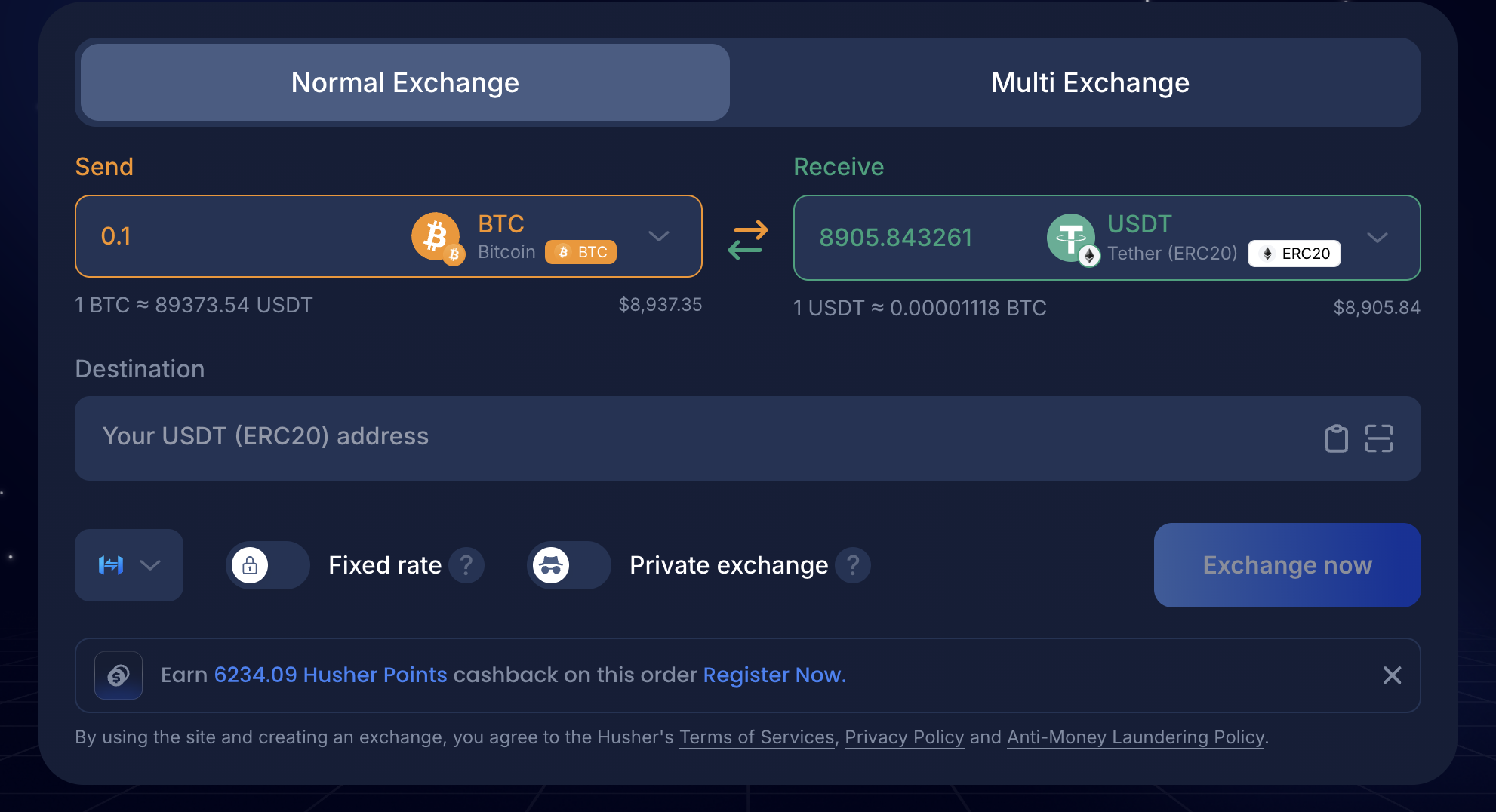
<figure><img src="https://4146140379-files.gitbook.io/~/files/v0/b/gitbook-x-prod.appspot.com/o/spaces%2FjBmRSJdqQYpZIYntna0i%2Fuploads%2Fgit-blob-0b6227bd9244e411d8343307b8fc95e25230fc0f%2Fimage.png?alt=media" alt="Husher web swap widget showing a BTC to USDT swap with Fixed rate and Private exchange toggles and the Husher Points cashback banner"><figcaption><p>The Husher web swap widget, showing asset selection, Fixed rate and Private exchange toggles, and the Husher Points cashback banner</p></figcaption></figure>

### Best for

| Use case                           | Why the web app fits                                                                  |
| ---------------------------------- | ------------------------------------------------------------------------------------- |
| First-time users                   | Visual layout makes execution options and quote details easy to review                |
| Multi-wallet distribution          | Full access to destination address tools, including split, bulk import, and randomize |
| Reviewing quotes visually          | Fees, output estimates, provider, and timing all visible before confirming            |
| Desktop or larger-screen workflows | Optimized layout for wider viewports                                                  |

### From the Web App, you can

* Select assets, amounts, and execution modes (Float, Fixed, or Private)
* Use default smart routing or manually select a specific exchange provider
* Enable Fixed-Rate or Private exchange toggles
* Split output across multiple destination wallets with the Multi Exchange tab
* Track execution progress in real time
* View and share shareable receipts once a swap completes

<p align="center"><a href="https://www.husher.io/" class="button primary" data-icon="globe-pointer">Website Exchange</a></p>
